Led the redesign of the Reports experience in OpsCentral, a back-office web platform that banks and other financial institutions use to manage their transactions, while migrating reports off a legacy system. Work on this B2B fintech product spanned research synthesis, design strategy and UI/UX design.

OpsCentral: An improved reporting experience to help banking officers conduct better transaction monitoring.
Summary
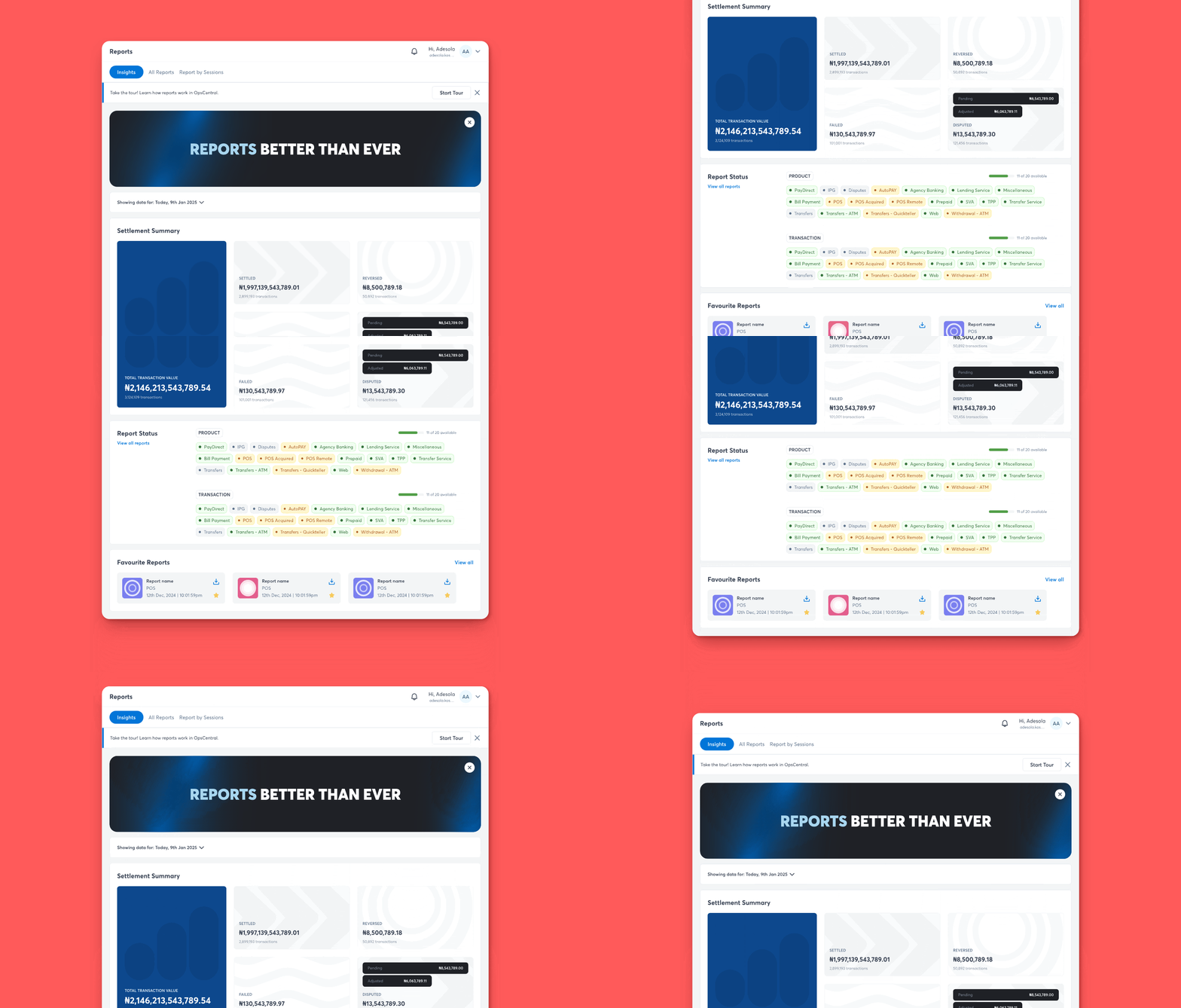
I redesigned the reporting experience for banking officers while migrating reports from the legacy Interswitch (Extraswitch) system to the new harmonised backoffice product, OpsCentral. Extraswitch had slow download time (up to 90 mins), hard-to-find reports, rigid pre-generated formats and many other usability issues. In this phase of the project we improved the existing flow with filters, summary insights, a cleaner table view, and favouriting, which resulted in:
About OpsCentral
OpsCentral allows financial institutions leveraging the Interswitch network for payments to manage back-office operations (tracking settlements, logging disputes, generating reports and more) all in one place.
These operations were previously scattered across many products. Arbiter handled disputes while Extraswitch handled transaction reports. Interswitch created OpsCentral to provide a single access point for all transaction-related activities. This case study covers the migration of “Reports” to OpsCentral and the redesign of the experience to better serve customers.
The Reports feature is a critical tool for financial institutions; it gives officers comprehensive insight into transactions and supports reconciliation, compliance, performance tracking, and strategic decision-making.
Starting with research
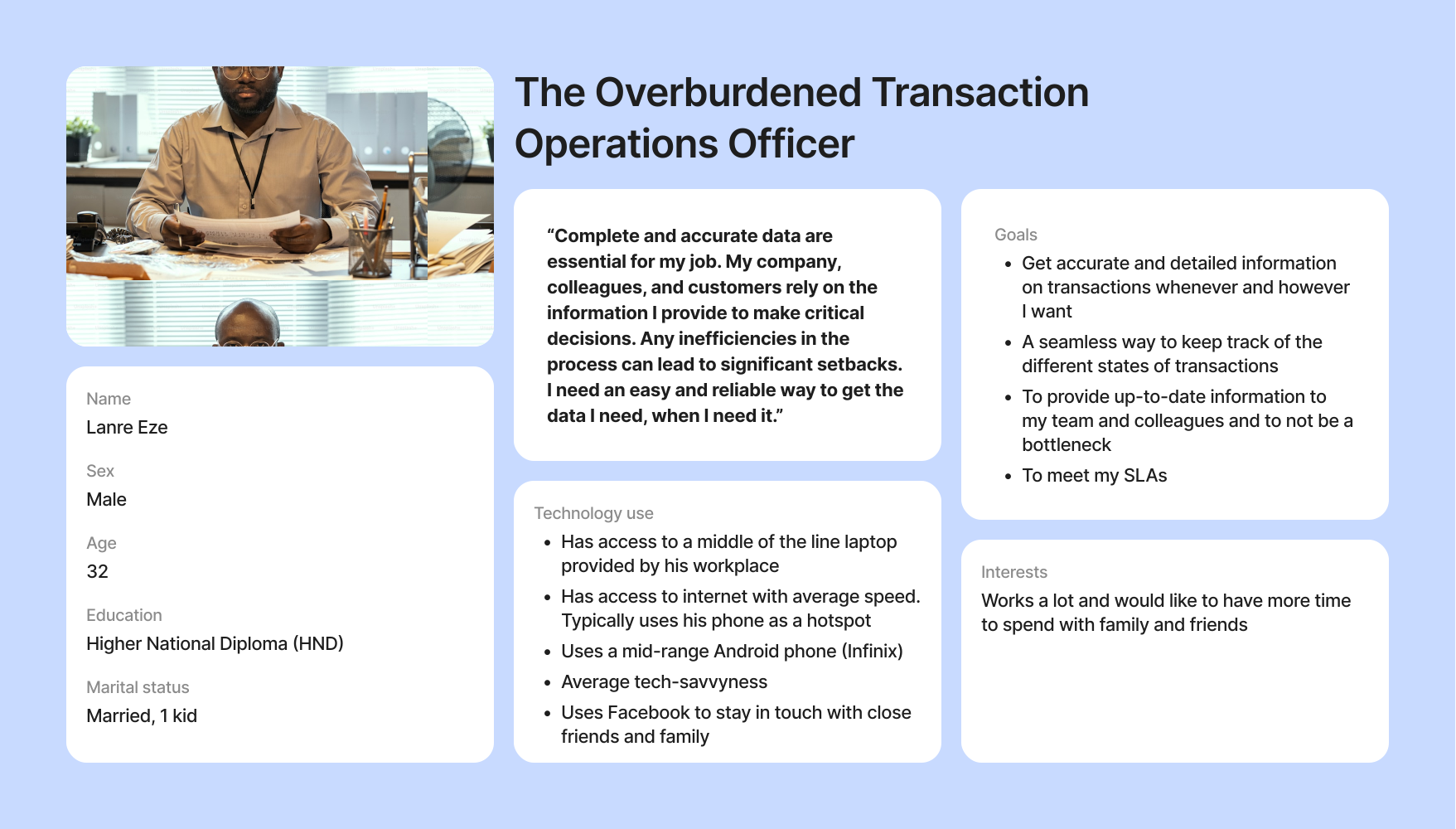
I began by analysing and synthesising raw data collected by the research team, including interview recordings and notes gathered during contextual inquiry, to understand customer pain points and identify opportunities.
There were many pain points, as Extraswitch was a legacy product that had only minimal, necessary design upgrades in almost two decades of existence. A few key ones:
Because reports were pre-generated, accessing a specific data set meant downloading whole reports and sifting through plenty of data to find what was needed.
Reports could only be downloaded severally, taking up to 90 minutes for some user types, significantly affecting operational efficiency.
Settlement reports were split into multiple documents, causing settlement officers to oscillate between documents to find information.
Customers could only view, compare and vet summary transaction numbers by downloading and opening each report individually.
It took an average of 3–6 months to train new staff on Extraswitch due to its complexity.
Specific reports were difficult to locate; users sifted through hundreds of reports to find one.
Balancing solutions and feasibility
After laying out user problems, it was clear the primary issue was rigidity. How can we design Reports that adapt to users’ needs and give them control over what they see and use? We wanted customers to be able to query the platform however they pleased.
We knew there were engineering constraints that could limit the flexibility we aimed for, so I laid out two approaches affording different levels of flexibility and shared them with the wider product team to decide what could be achieved short term versus after the backend was made more amenable.

Solutions, testing & impact
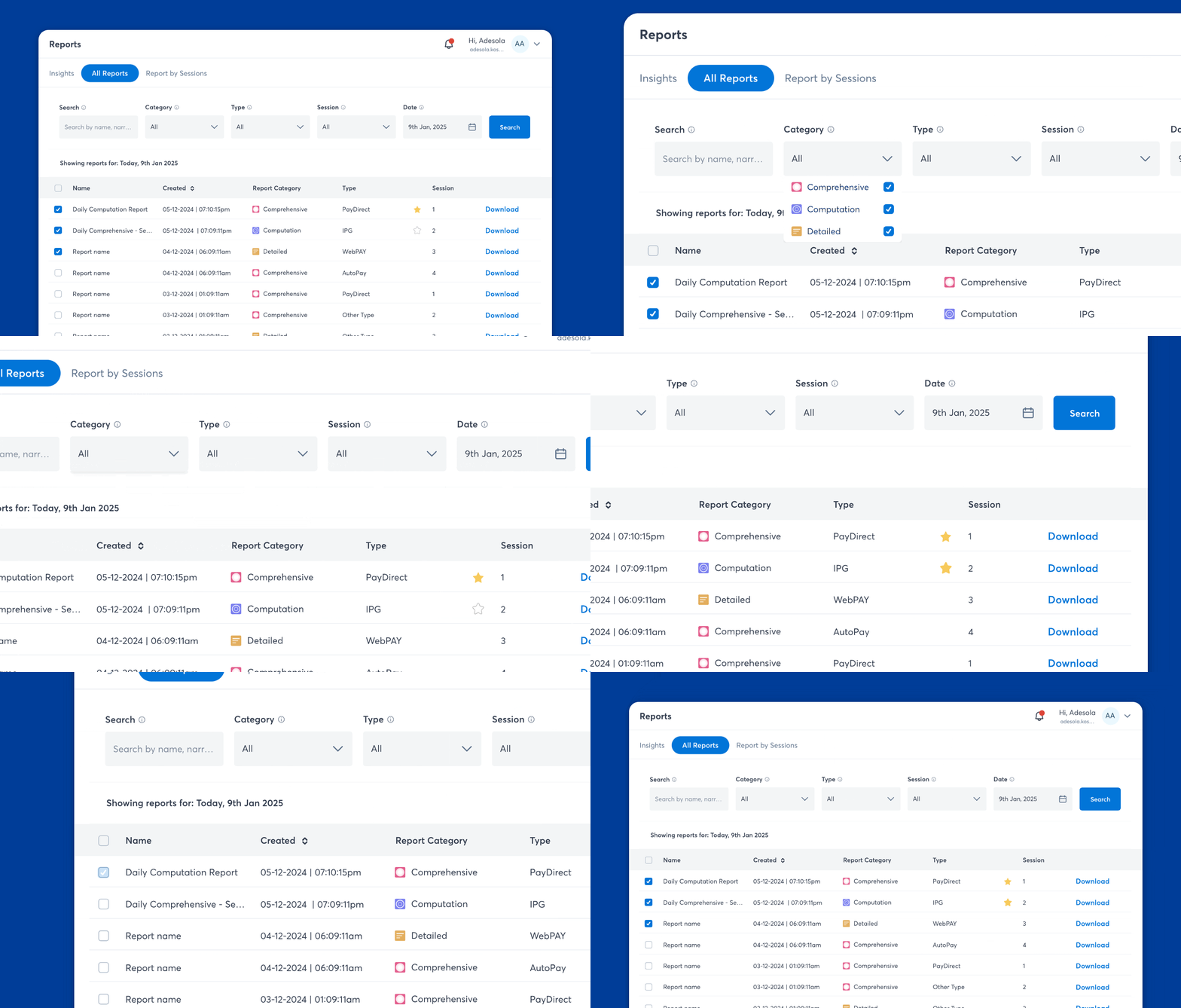
With Approach 1, we delivered visualisation, much improved usability, streamlined reporting workflows and better operational efficiency. We tested our solutions with select customers before wider deployment and monitored usage with Microsoft Clarity.
After upgrading the backend infrastructure to allow more flexibility, and with further monitoring and iteration, we’ll revisit Approach 2 to gauge how applicable it still is and how to bring it to life for customers.
Approach 1
SelectedKept the existing pre-generated reports format from Extraswitch but made it easier for customers to find, sort and download them, usability enhancements without touching the underlying report generation.
Approach 2
Moved beyond pre-generated reports entirely, letting users explicitly determine what they wanted and view reports directly in-app, removing the download-only limitation in one move.